
The chosen prototypes
One shell, two page templates, and AI that suggests while people decide. Everything is plain HTML on the shell tokens: Inter, comfortable density, one accent, one status vocabulary.
Aurora shell
Sidebar, top bar, tokens and controls shared by every page. Sample Block records page inside.
- Three-level timeline sidebar, one colour per module
- Collapsible rail, phone drawer, account popover
shell/README.mdis the contract
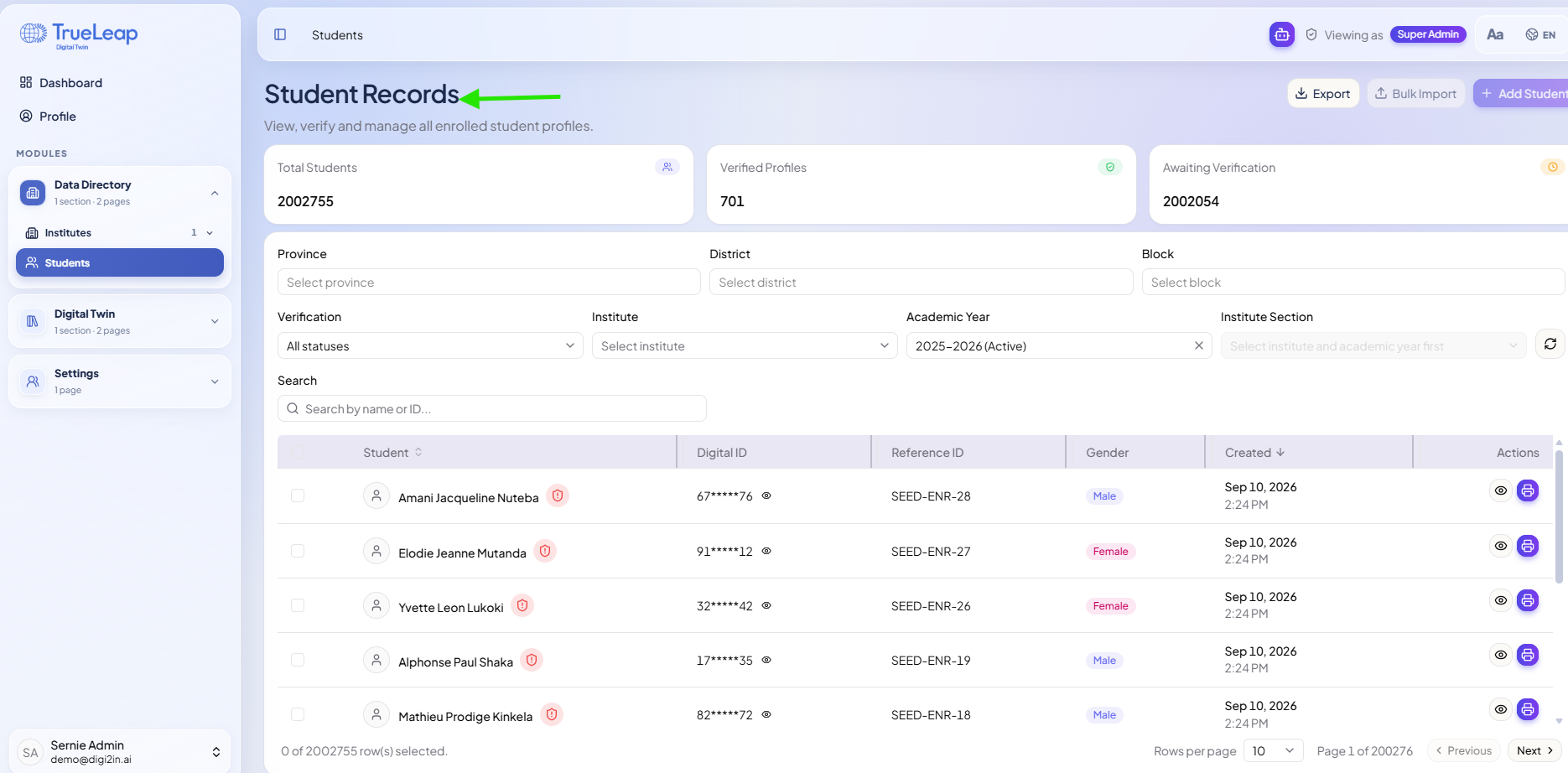
Student Records · query bar
The table template: query bar with typed filter tokens, header filters, saved views with the only counts, a full page per student, verification as the job.
- AI document check and a “Ready to verify” view
- Ask in plain words; the query bar turns it into filters
- Collection kit in
shell/kit.*
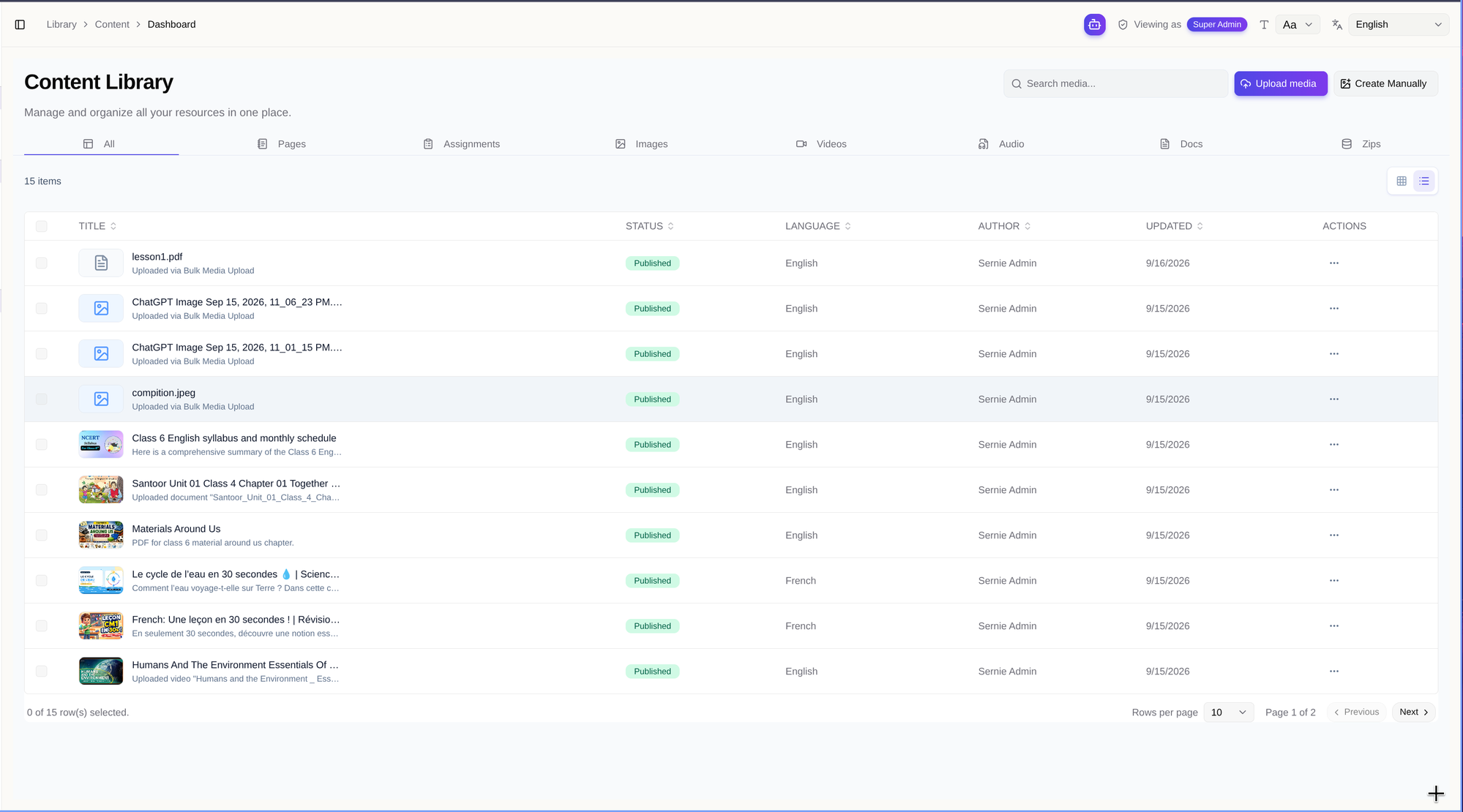
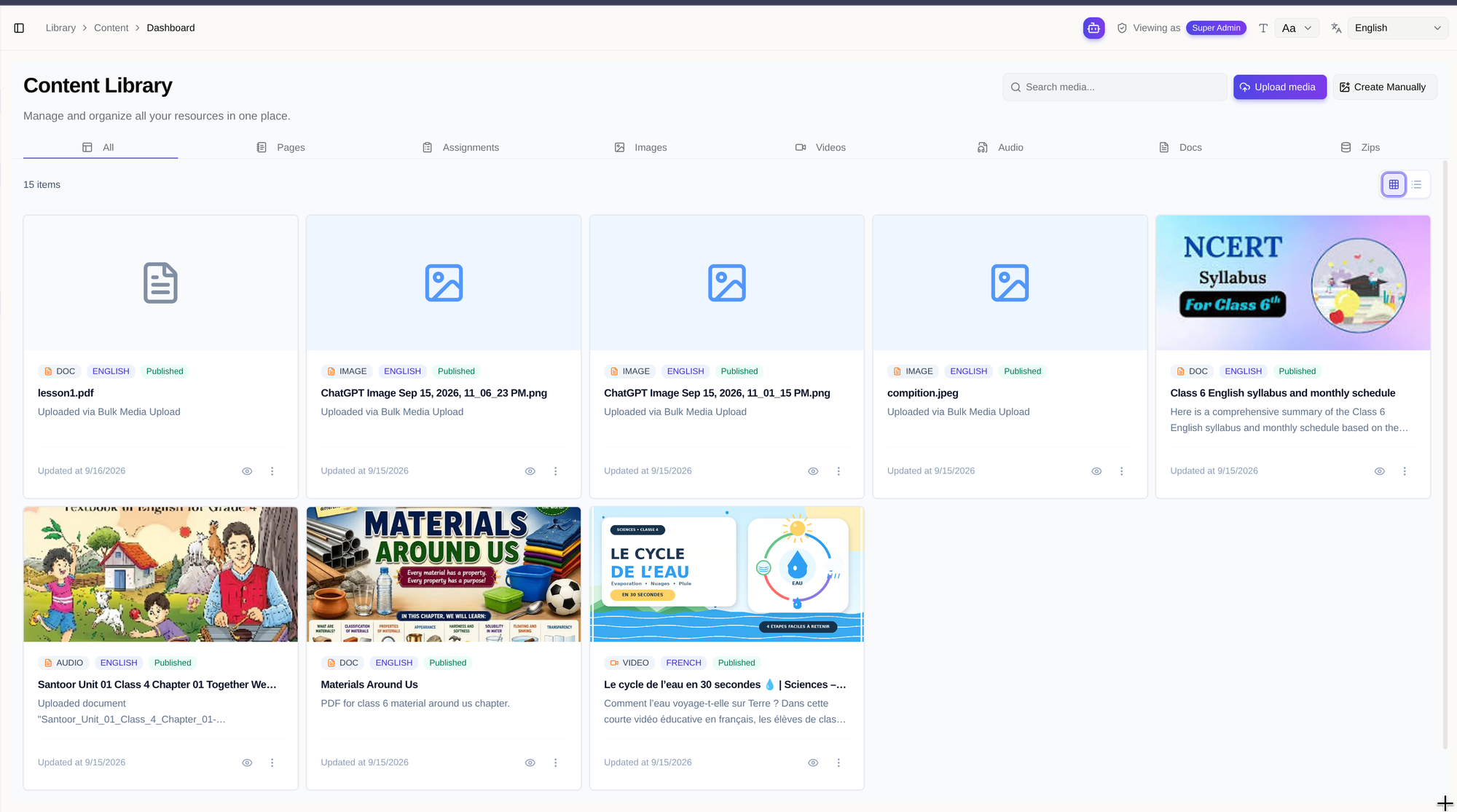
Content Library · ledger
The tabbed template: type tabs, saved views beside Filter, grid first with a list toggle, item pages with review, comments, versions, publishing, checks and usage.
- Ask in the search box: “French videos not in a lesson”
- AI pre-review, suggested details on upload, generated drafts
- Review inbox with waiting time and assignment
Decisions locked in
- Shell: the Aurora sidebar sits on a faint, still backdrop; each page is one white panel with a sticky top bar. The sidebar is 248px, collapses to a rail, and becomes a drawer on phones.
- Look: Inter; radius 6, 8, 10, 12; shadows are a 1px ring plus a low blur; Phosphor Regular icons. Colour marks content types and modules, and brand blue is only for the primary button and the current page.
- Density: comfortable only. Rows 44px, controls 36px, small controls 32px. No compact switch.
- Filters: one model. Tabs only for the facet that changes columns, everything else is a filter token, saved views carry the counts, the URL carries the filters.
- AI suggests, people decide: everything AI is violet with the ✦ mark, says what it looked at, can be undone, and never publishes or verifies by itself.
- Approval: admins and content leads may self-approve, a teacher's upload waits for a reviewer. Bulk approve above three asks first. Send back has undo and opens a comment thread.
- No side panels: rows and tiles open the full page,
#item/<id>for content and#student/<id>for students. - Prototype controls (role switcher, demo states) live in one dashed top-bar button, never in product chrome.
Before, for reference
Earlier explorations (seven other sidebars, three other table pages, two other library layouts, the pickers) are in the archive. Serve locally with python3 -m http.server 8765 --bind 127.0.0.1 from the site folder.